
Visible — WordPress Web Design Dublin

WordPress Web Design · South Dublin

  • Whatsapp Me
  • Services
    • WordPress Design
    • WooCommerce eCommerce
    • Technical SEO
  • Work
  • Pricing
  • Contact
  • About
visible.ie
Help & guides / Blog & news

How to add the excerpt copy to your WordPress post

Write the short summary that shows in search results and post listings.

3 min read · Last checked June 2026

The excerpt is the short summary that appears in search results, social shares, and post listings — worth writing one for every post. Hope it helps!

  1. Open the post in WordPress

    From your dashboard, go to Posts → All Posts and click into the one you want to edit.
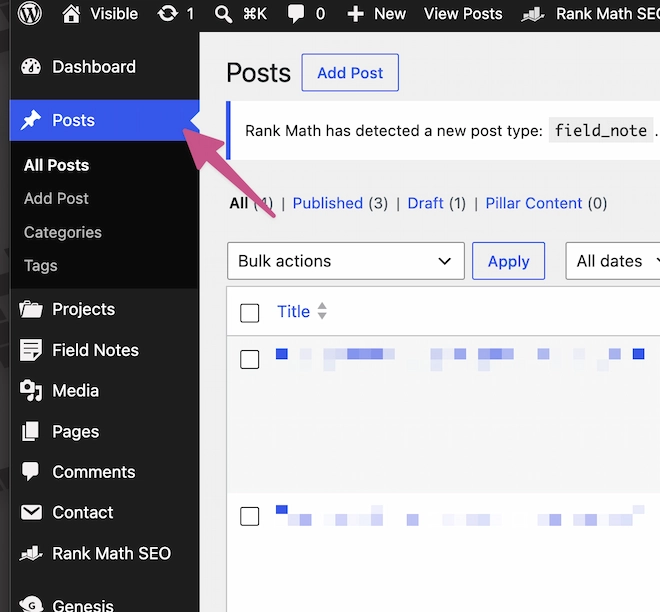
    screenshot of wordpress dashboard
    Hit the Posts link.
  2. Find 'Edit excerpt' in the sidebar

    On the right-hand sidebar of the editor, scroll to the Excerpt panel. Click Edit excerpt.
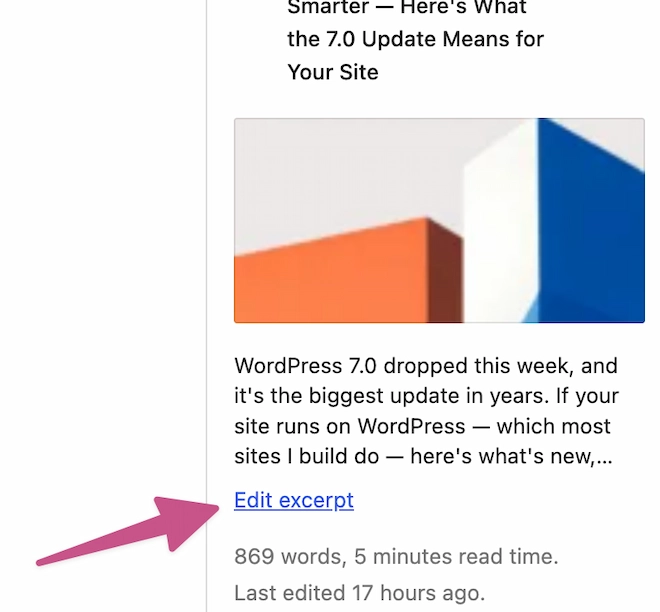
    screenshot of wordpress ';edit exceropt' link
    There it is!
  3. Write your excerpt

    The editor pops up. Type the 1–2 sentence summary you want shown on the archive. 160 characters is the sweet spot.
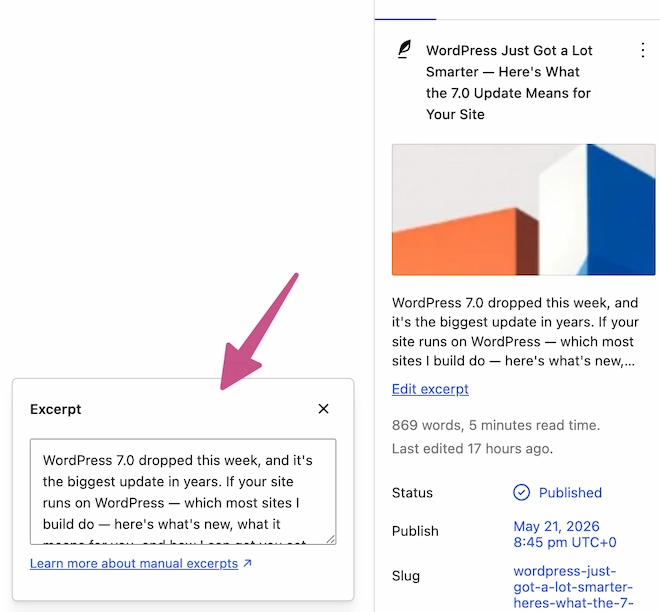
    screenshot of wordpress excerpt editor
    Click in to edit text.
  4. Hit save (or update)

    Top right — Save if it's a draft, Update if it's already live. Don't forget this step.
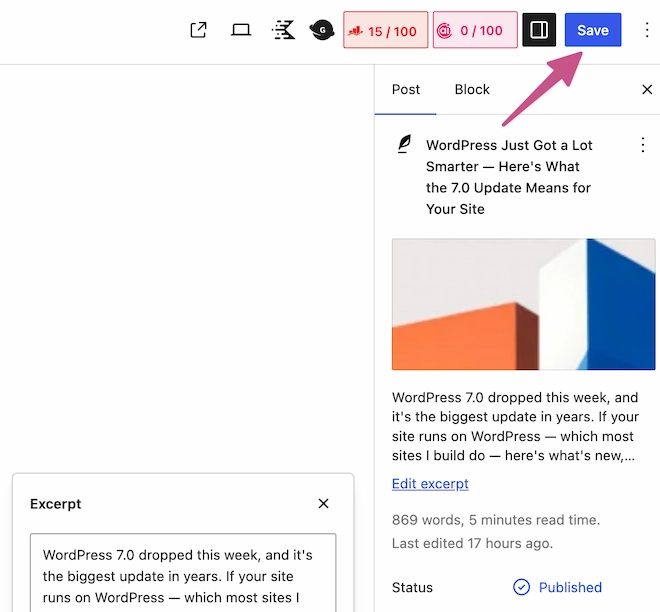
    screenshot of wordpress save button
    Don't forget!
  5. Check the archive

    Open your blog index page. Your excerpt should now appear beneath the post title instead of the auto-generated default.

    screenshot of wordpress archive post items
    There's your updated excerpt.

Related guides

  • Editing a page

Stuck? Get in touch.

If a guide doesn’t match what you see, or you’d rather not do it yourself, ask. Clients on a care plan can hand all of this over to us.

sites@visible.ie
logo

WordPress web designer based in Dublin. Small studio, careful work.

Services
  • WordPress
  • WooCommerce eCommerce
  • Technical SEO
Company
  • Work
  • Pricing
  • Help & guides
  • Contact
Get in touch

sites@visible.ie

WhatsApp · +353 83 170 1093

South Dublin, Ireland

© 2026 Visible
Privacy