

The excerpt is the short summary that appears in search results, social shares, and post listings — worth writing one for every post. Hope it helps!
Step 01
Open the post in WordPress
From your dashboard, go to Posts → All Posts and click into the one you want to edit.
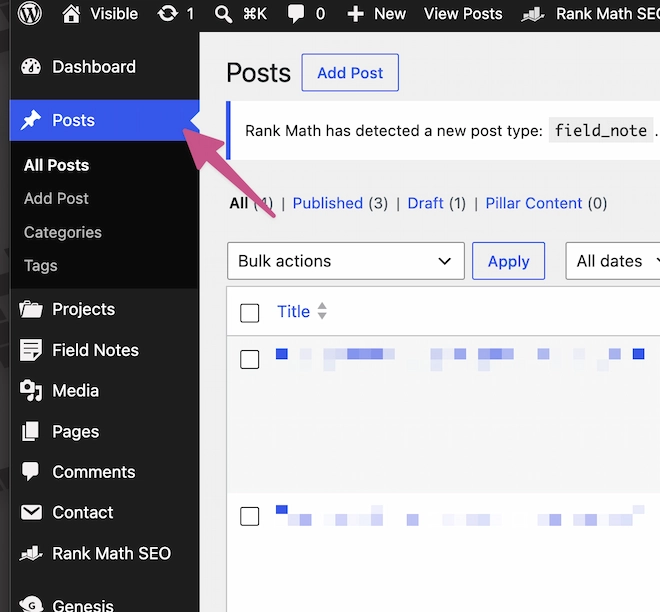 Hit the Posts link.
Step 02
Find 'Edit excerpt' in the sidebar
On the right-hand sidebar of the editor, scroll to the Excerpt panel. Click Edit excerpt.
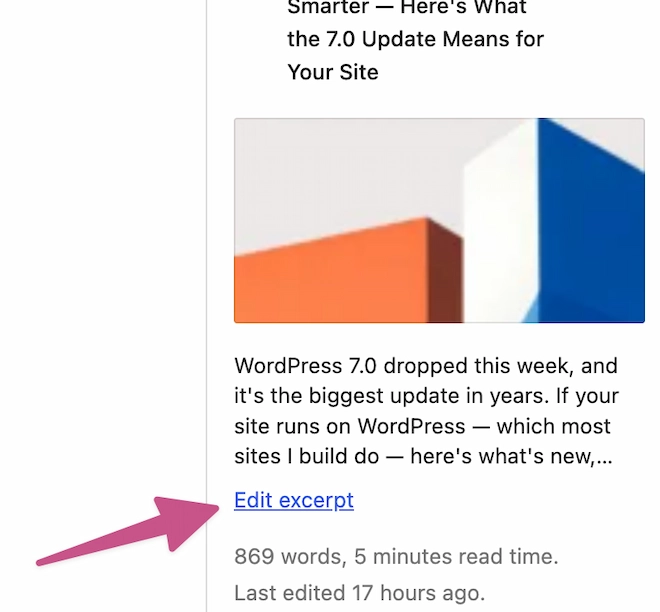 There it is!
Step 03
Write your excerpt
The editor pops up. Type the 1–2 sentence summary you want shown on the archive. 160 characters is the sweet spot.
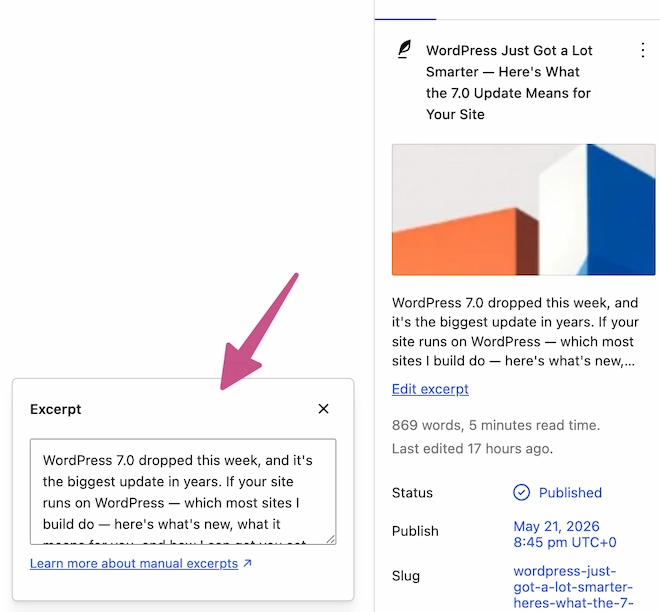 Click in to edit text.
Step 04
Hit save (or update)
Top right — Save if it’s a draft, Update if it’s already live. Don’t forget this step.
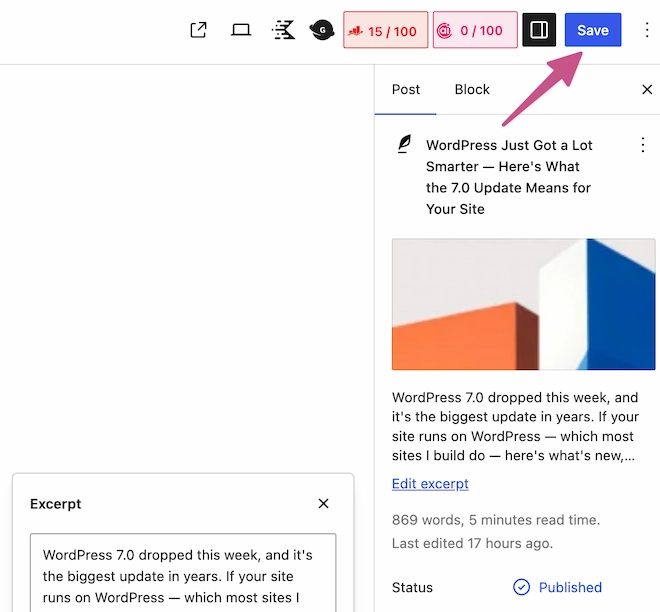 Don't forget!
Step 05
Check the archive
Open your blog index page. Your excerpt should now appear beneath the post title instead of the auto-generated default.
 There's your updated excerpt.
Was this useful?
If I built or manage your site, I’ll do this kind of thing for you in 30 seconds — just message me. Otherwise, hopefully the note above saves you ten minutes.
More about what I do →